Exam schedules
Use Assessment → Exam schedules. The page shows the exams of the working term. Select the working academic cycle and term first.
Plan an exam
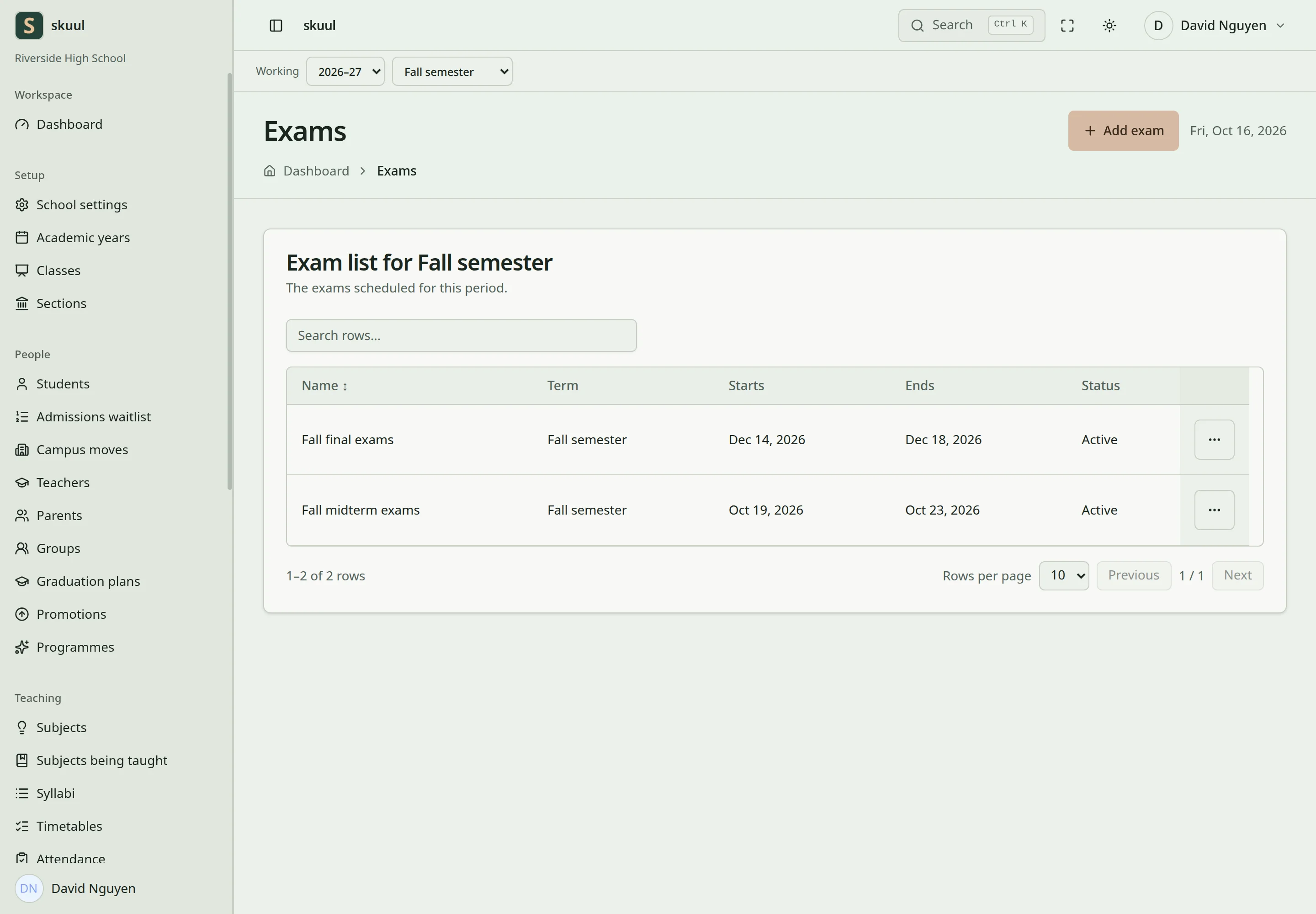
Exam dates describe the assessment window.
- Select Add exam.
- Enter Name. Select Reporting period.
- Enter Starts on and Ends on. Both dates must be inside the term.
- Enter an optional What it covers (optional).
- Select Plan the exam.
The exam name must be unique in its term, ignoring letter case. If not, the form says, for example, Fall semester already has an exam with that name. A date outside the term gives, for example, The exam ends after Fall semester ends on 18 Dec 2026. Draft periods can support planning. Closing or finished teaching context restricts further changes.
The exam record describes the planned assessment window. Record marks in the relevant course offering's gradebook. Use gradebook categories and items to define assessment weighting. The current application does not use the old V2 exam-mark workflow.
Review readiness
Check the published syllabus and its assessment plan. Review outstanding topic coverage. Check teaching schedules, closure days, and room availability separately. A valid exam date range does not by itself prove that every lesson or room allocation is conflict-free.
After marking, submit the result revisions for approval. Families see approved results through the results portal area.
Enter and correct the schedule
Use read exam, create exam, and update exam for the corresponding tasks. The selected academic period must belong to the exam's cycle.
Open Add exam from the exam list or from the cycle page. Name accepts up to 255 characters. After you save, check the dates and the term in the exam list. Use the edit form to correct the name, dates, or period within the same year. Review both old and new teaching contexts before moving an exam between periods. Do not enter grades into an exam schedule; create the gradebook assessment items separately.
| Problem | Action |
|---|---|
| No reporting period appears | Create the dated cycle's periods in the working campus. |
| Name is rejected | Check for an exam with the same name in its context, ignoring case. |
| Date is rejected | Keep both exam dates inside the selected period and use an ordered interval. |
| Edit is blocked | Check period state and update exam. |
Check the result
- Check the exam start and end dates against the selected period.
- Confirm assessment items and marking remain in the relevant gradebook.
See gradebooks, syllabi, and result approval.